Extending Your Notebook’s Battery Life

7. Unplug Devices from the USB ports
Even as they consume only small amounts of power, USB devices (such as USB flash disks or external hard drives) will drain your battery if remain attached over prolonged period of time. To extend battery life a little bit, always unplug USB devices when unused.
8. Turn off Unnecessary Connectivity Options
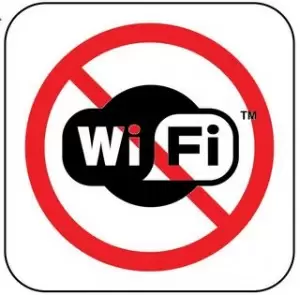
Bluetooth and Wi-Fi adapters constantly consume power when turned on, contributing further to reduced battery life. If you’re not using either one or both of them, turn off the Bluetooth/ Wi-Fi adapter.
9. Choose “Hibernate” mode instead of “Standby”
When you’re about to put away the notebook for some time, it will be better to enter the “Hibernate” mode rather than telling the system to go into standby. In the Hibernate mode, hardware components will be turned off, effectively cutting power consumption. By contrast, standby mode still requires a small amount of power. The notebook will turn back on faster from standby mode, but that advantage is offset by the power required to sustain the standby.
10. Avoid Multi-tasking Programs
More opened applications means more work for the hard disk. In turn, this will consume more power from the battery. Unless necessary, run only one program at a time to save the battery.
11. Switch to Integrated Graphics

If your notebook comes equipped with both an integrated graphics and a discrete graphics card, switching to the less-powerful integrated graphics will save a good amount of power. Some system require manual adjustments to the settings, so always check to make sure which graphics you are currently using.
12. Replace the Hard Disk with an SSD

Aside from having lower power consumption, an SSD has faster read/ write transfer rate compared to most hard disks. It also does not generate heat which could potentially affect other components around it.
There you go, hopefully, you will find the tips handy when you need to conserve the battery life of your notebook. If you happen to know other useful tips, feel free to write them down in your comments. You may also be interested in other related articles:
More Articles