[PR] MSI Afterburner Now Includes Exclusive “Kombustor” One-Touch Burn-in for Benchmarking DX11 Game Effects

Simulate the Latest DX11 Game Effects with Four Benchmarks and Compare Your Results Online with Other Gamers!
(Taipei, Taiwan) — The recent stream of killer DX11 game releases has gamers fired up and ready to go. But how do you know if your graphics card has what it takes to run a game with all of the graphics settings on high? Now, MSI, the leading international motherboard and graphics card maker, in conjunction with well-known graphics card benchmarking website oZone3D, has integrated the Kombustor stress test software directly into MSI’s Afterburner overclocking utility. The exclusive one-touch burn-in function simulates heavy gaming loads to give players a way to quickly benchmark their graphics card. Kombustor also makes use of four special effects benchmarking routines: Fur Rendering, PhysX, Tessellation, and Geometry Instancing. These special effects are extensively used in the latest DX11 games. The photo-realistic graphics in the blockbuster first-person shooter

Easy to Use Software with One-touch Burn-in and Benchmarking
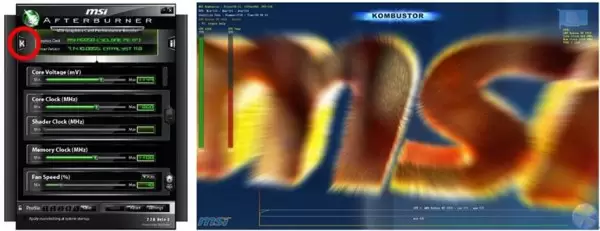
The Afterburner graphics card overclocking utility not only offers an extensive range of configuration options but also comes with the simple and easy-to-use Kombustor burn-in and benchmarking utility. Once the graphics card’s overclocking settings have been set, simply click the “K” button on the interface to launch the burn-in utility. The GPU load will be increased to 100% and all temperature fluctuations will be recorded while the card performs under simulated high loads for extended periods of time. Unlike other commonly used burn-in software, Kombustor does not require any complicated setup to begin benchmarking, making it easy to use for both beginners and advanced users alike.
Realistic Gaming Performance with Four Special Effects Benchmarks
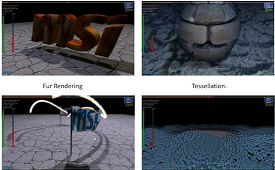
Those who are interested in how their graphics card performs in-game can, in addition to using in-game benchmarks, also use Kombustor to easily determine their real-world gaming performance. The Kombustor benchmarking routine uses the four most common special effects modes used in retail games. These include Fur Rendering for textures, Tessellation for more realistic game models, PhysX for improved physics, and Geometry Instancing for making graphics come alive. Benchmarking these four special effects give players an idea of how their graphics card performs in-game. Kombustor is easier to set up compared to professional benchmarking software and other in-game benchmarking utilities. Benchmarking results are available within a short period of time and can also be uploaded to a dedicated webpage for comparison against other gamers around the world.
For more information about Kombustor, please visit
For a detailed description of the MSI Afterburner overclocking utility, please visit http://event.msi.com/vga/afterburner/
More Articles